.svg)
Before You Start
Fleetpin Pre-Start is a separate app from the main Fleetpin app. You will need a Fleetpin account, and the Pre-Start add-on must be enabled for your organisation, before you can sign in and use the app. If you are not sure whether this applies to you, check with your fleet manager or administrator. See this article for more information.
Downloading The App
iOS (iPhone and iPad)
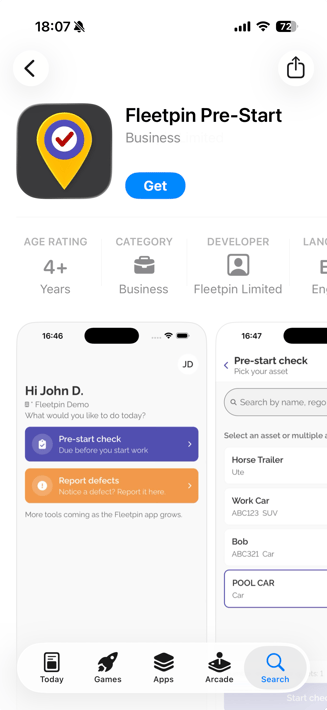
- Open the App Store on your iPhone or iPad.
- Search for Fleetpin Pre-Start, or go directly to the App Store listing.
- Select Get to download the app.
- Once installed, open the app and sign in with your usual Fleetpin username and password.
Android
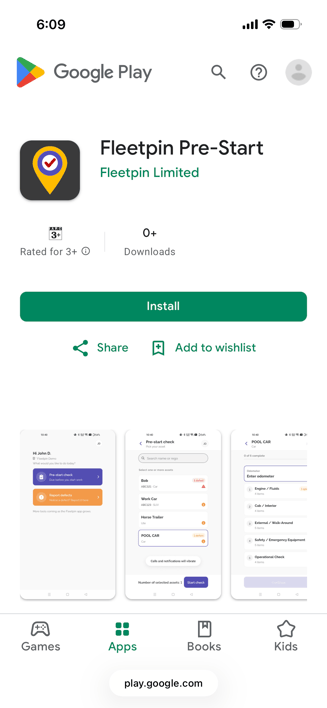
- Open the Google Play Store on your Android device.
- Search for Fleetpin Pre-Start, or go directly to the Google Play Store listing.
- Select Install.
- Once installed, open the app and sign in with your usual Fleetpin username and password.
Things to Know
- Same login. Fleetpin Pre-Start uses the same username and password as the main Fleetpin app.
- Free to download. Fleetpin Pre-Start does not cost anything to download from either store.
- iOS requirement. Fleetpin Pre-Start requires iOS 16.4 or later on iPhone and iPad.
- One-off download. You only need to download the app once.
Once you are signed in, see How to Complete a Pre-Start Check for how to work through a pre-start check or report a defect.
If Something Is Not Working
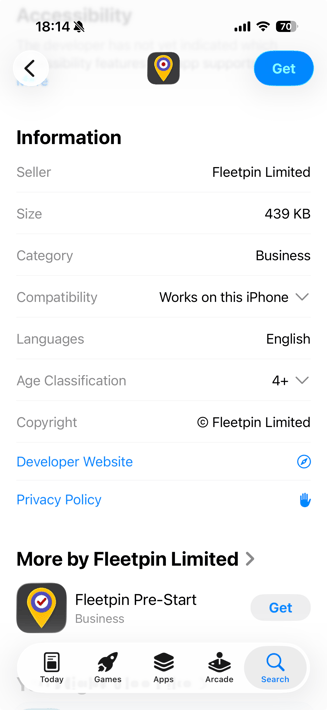
- If you cannot find the app in the App Store or Google Play Store, check you are searching for "Fleetpin Pre-Start", not "Fleetpin". If it still doesn't appear you can also find it by clicking on the Fleetpin app and scrolling down to the section where it says More by Fleetpin Limited.
- If you cannot sign in, confirm your username and password with your fleet manager or administrator, and check that your Fleetpin account has been set up.
Get Help
If something is not working or you are not sure what to do, get in touch with the Fleetpin team. You can use the chat icon in the bottom right of the app, or call us on 0800 110 820.