.svg)
Meters keep track of time and distance activity of assets. We recommend creating meters for each of the physical meters present in the asset, and updating them with regular readings to maintain accuracy. For example hubometer and odometer meters are intended to represent real meters on the asset. E.g. A hubometer should only exist in Fleetpin if the asset actually has a hubometer.
Meter Types
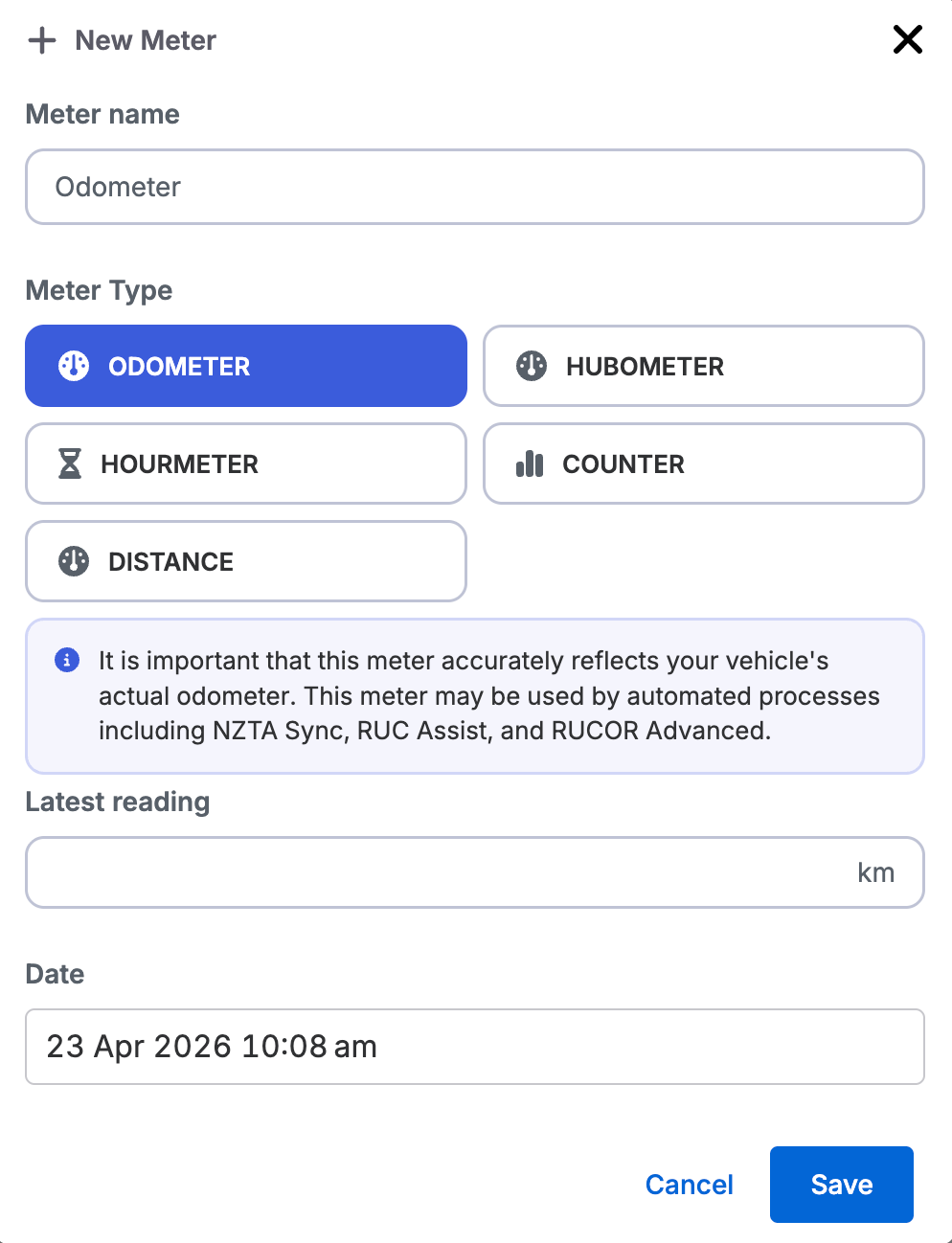
Hubometer
A hubometer tracks distance. Each asset can have one hubometer. Add-ons and features that involve RUC such as NZTA Sync and RUC Assist, will always use the hubometer first if one is set up on the asset.
Odometer
An odometer tracks distance. Each asset can have one odometer. If an asset has both a hubometer and an odometer, automated RUC processes will use the hubometer.
Distance Meter
A distance meter is a general-purpose meter for tracking additional distance readings on an asset, such as a secondary wheel sensor.
By default distance meters aren't used for RUC Assist™. You can manually create a RUC licence against a distance meter if you need to, though you will see a warning that it is not the recommended setup. This is intended for users with the RUCOR Advanced add-on who have a specific reason to claim RUC against a non-primary meter.
Hourmeter
An hourmeter tracks the hours that the configured input is turned on. The most common way this will be done is being setup with the 'key' input, which will track engine hours. Another example would be a custom input set up for a sprayer and setting up the hourmeter to track how long that input is enabled for. Recording the hours of secondary engines, such as those found on drill rigs or truck-mounted suction pumps.
Counter
A counter tracks activations or events. Counters are most often used with custom inputs, but they essentially just track how many times an input has been turned on. This could be how many times the key has been turned on or more likely a custom input like baler count, a lock counter, brake counter.
Meters for Compliance Add-Ons
Your hubometer and odometer are your primary meters. They appear in a dedicated Meters area at the top of the meters section on each asset. All other meters sit below.
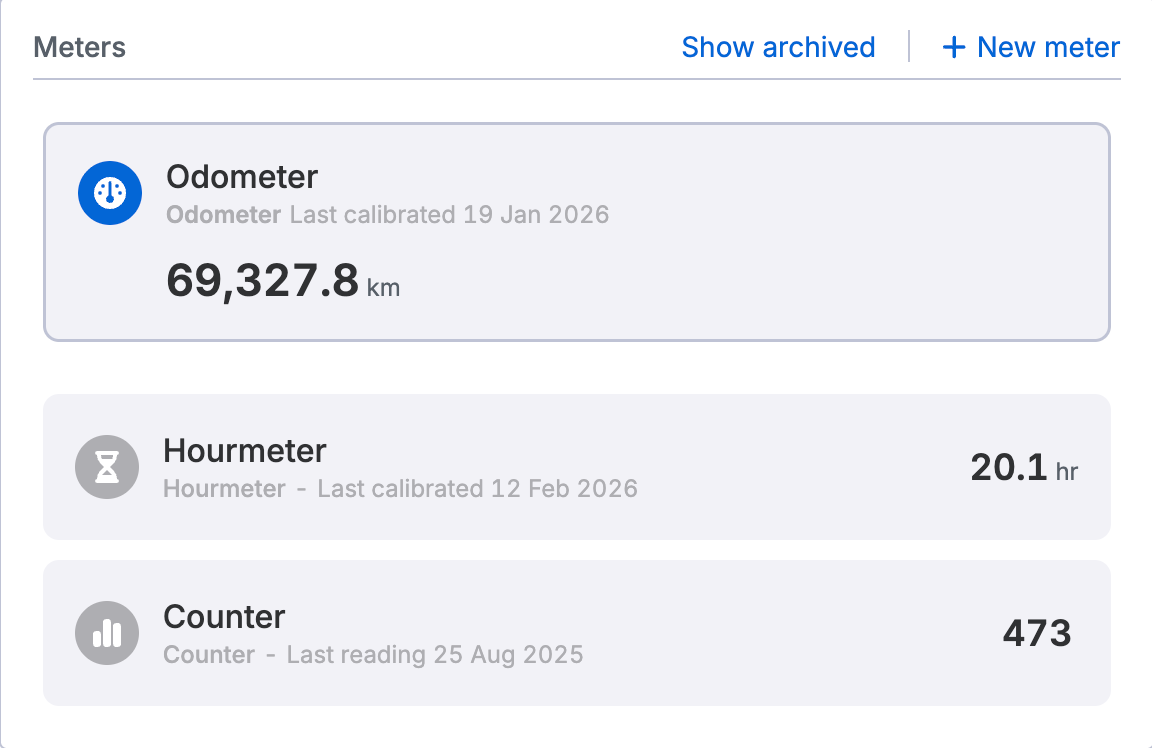
When the RUC Assist process runs, Fleetpin uses the hubometer if one exists on the asset, then the odometer if there is no hubometer. Distance meters, hourmeters, and counters are never used automatically by default.
If you try to enable NZTA Sync or RUC Assist on an asset with no hubometer or odometer set up, you will see a warning. You will also see a warning if you try to archive or edit a meter that is currently being used for RUC.
Get Help
If you have any further questions or need assistance, get in touch with the Fleetpin team. You can use the chat icon in the bottom right of the app, or call us on 0800 110 820.